If your business still relies on a traditional VPN to connect remote workers to internal resources, you're not alone. OpenVPN and IPsec tunnels have been the default for years. They work. But "works" and "works well for a growing business in 2025" are very different things.
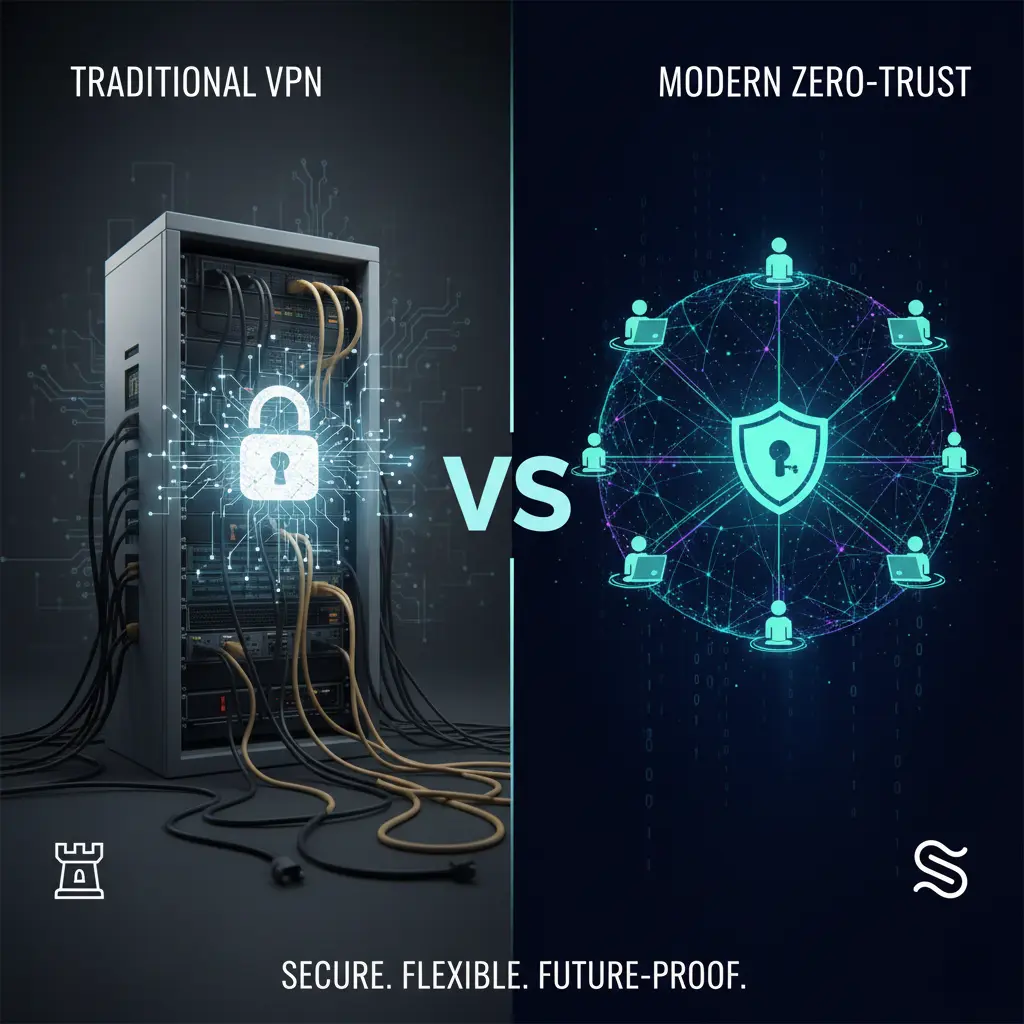
The fundamental shift is this: traditional VPNs extend your network. Tools like Tailscale and Twingate extend access to specific resources. That distinction changes everything, from how you set things up to how secure your business is when someone loses a laptop on the Tube.
This post breaks down both approaches across the things that matter most to businesses: setup, daily experience, security, scalability, managed deployment, and when to choose what.
The old model vs the new model
Traditional VPNs work on a simple premise. You create an encrypted tunnel that puts a remote user onto your office network. Once they're "inside," they can reach whatever the network allows. The security burden then falls on internal firewalls, VLANs, and network segmentation to keep people away from things they shouldn't touch.
Zero-trust tools like Tailscale and Twingate take the opposite approach. They assume the network itself can't be trusted. Every connection is evaluated based on who the user is, what device they're using, and what they're trying to reach. Users only see the specific resources they've been granted access to. Everything else is invisible.
Think of it this way. A traditional VPN gives you a key to the building. Zero-trust gives you a key to one specific room, and checks your ID every time you use it.
Setup and deployment
Traditional VPN (OpenVPN-style)
Setting up OpenVPN properly means configuring routing, firewall rules, DNS changes, certificate management, and distributing config files to every user. Site-to-site setups add static routes on routers, NAT considerations, and careful testing per location.
None of this is impossible. But it demands networking knowledge, and for a lean IT team (or a business without a dedicated IT person), it's a meaningful time investment that's easy to get wrong.
Tailscale
Install the agent on each device, sign in via Google, Microsoft, or your existing SSO provider, and the control plane pushes WireGuard peer configurations automatically. In most cases, there are no inbound firewall rules to create and no port forwarding to configure. It handles NAT traversal and gives each node a stable IP within your private "tailnet."
Twingate
Deploy a small connector near each protected resource (whether that's in a cloud VPC, a data centre, or on-prem), install the client on user devices, and tie both to your identity provider. Policy is configured centrally in a SaaS console rather than across scattered firewall rule sets. Twingate describes rollout as "minutes, not weeks," and for most SME environments, that's realistic.
The takeaway: Modern tools require dramatically less "network plumbing." For businesses without a full-time network engineer, that difference matters enormously.
Ease of use and the everyday experience
Traditional VPN
Users need to remember to connect. They pick a profile, authenticate, and hope the tunnel stays up. "My VPN dropped" is one of the most common IT support tickets in any organisation using OpenVPN or similar tools.
Full-tunnel configurations route all traffic through HQ for inspection, which adds noticeable latency for SaaS applications and media-heavy workloads. For a designer trying to collaborate on a Figma file while connected to a full-tunnel VPN, the experience can be genuinely painful.
Tailscale
Once logged in, it behaves like an always-on overlay network. Machines appear and stay reachable, often across multiple networks, without users thinking about subnets or tunnels. Developers and admins can directly SSH or RDP between machines by name or stable IP without opening inbound ports.
Twingate
Users connect to specific internal apps by hostname or IP, with SSO and MFA baked in. The rest of the network stays hidden. In practice, users click one "connect" button (or have it auto-connect), and access policies adapt in the background as their device posture changes.
For a creative agency: designers open the file server or internal web tool. They never think about tunnels. That's the goal.
Security model
Traditional VPN (OpenVPN)
Security is built on TLS certificates and shared secrets, giving you an encrypted tunnel into the network. That tunnel is solid. The problem is what happens after connection: users often have broad lateral movement across the network unless you've invested heavily in internal segmentation and monitoring.
If a device is compromised while connected to a traditional VPN, the attacker can potentially see and reach everything the user can. The blast radius is the entire network segment.
Tailscale
Uses WireGuard for the data plane with end-to-end encryption between peers. Private keys never leave the node. Central ACLs are enforced at each device, so you can define rules like "engineering laptops can SSH to production servers, but marketing laptops cannot," and those rules are applied at the edge.
Keys and pre-shared keys rotate automatically, reducing stale credential risk. The mesh architecture means traffic flows directly between peers where possible, rather than routing everything through a central point.
Twingate
Implements true zero-trust network access. Every connection is evaluated using user identity, device posture, location, and time before a tunnel is created. Resources are hidden from both the public internet and much of the private network, which reduces both discoverability and blast radius.
Deep logging and granular per-app policies suit regulated environments where audit trails and access control documentation are requirements, not nice-to-haves.
The key difference: Legacy VPN security means "inside the castle walls." Tailscale and Twingate mean "just-in-time, least-privilege access to one specific room."
Scalability and maintenance
Traditional VPN
Scaling typically means bigger concentrators, more licences, and carefully balancing concurrent user limits with available bandwidth. Multi-site mesh configurations get complex quickly, with overlapping subnets, route conflicts, and configuration drift becoming ongoing maintenance burdens.
Tailscale
Each node forms direct encrypted connections where possible, offloading traffic from any central bottleneck. Adding a new site usually means installing the agent, advertising subnet routes, and updating ACLs, rather than reconfiguring routers and firewalls.
Twingate
Designed for hundreds or thousands of endpoints with distributed connectors and centrally managed policies. It integrates with existing identity providers and device management tools, so joiners and leavers automatically feed into access decisions at scale.
For growing businesses: The practical difference is support cost. Less time buried in firewall configurations means more time on work that moves the business forward.
Managed deployment with MDM
This is where things get particularly interesting for businesses that manage their devices properly.
With traditional VPN setups, you're typically shipping config files or installers and relying on users (or manual scripting) to get clients configured correctly. At scale, this is brittle and generates support tickets.
Tailscale publishes deployment guides for macOS, iOS, and other platforms so you can push and configure the client via Jamf Pro, Intune, Kandji, or similar MDM tools. You deploy the .pkg, enforce settings, and control client behaviour centrally. There's now a specific Jamf Pro integration that feeds device posture data from Jamf into Tailscale policies, meaning access can depend on whether a Mac meets your compliance requirements.
Twingate supports the same pattern. Clients can be pushed via standard deployment methods through Jamf, Kandji, Workspace ONE, and Intune, with silent rollout and update capabilities.
Because both Tailscale and Twingate clients are standard apps, they deploy alongside everything else in your MDM workflow. That means always-on zero-trust access without walking users through VPN setup, and without asking them to care about tunnels at all.
For businesses using Jamf Pro with a fleet of Macs, this is a significant operational advantage. Zero-touch deployment of your remote access layer, tied to device compliance, managed from the same console as everything else.
When to use what
Simple site-to-site or homelab: A traditional OpenVPN setup is familiar, cost-effective, and works well once configured. Tailscale works here too but offers more value when you have many roaming devices. Twingate is usually overkill for this use case.
SME with mixed on-prem and cloud: Traditional VPN works but requires careful routing and firewall management. Tailscale is a strong fit for connecting Macs, laptops, and servers with minimal network changes. Twingate shines if you need per-app access controls and compliance reporting.
Highly regulated, strict least-privilege: Traditional VPN needs heavy internal segmentation and monitoring to achieve this. Tailscale's ACLs are good but still network-centric. Twingate was designed for zero-trust from the ground up, with identity verification, device posture checks, and detailed audit logs.
Developer-heavy distributed teams: Traditional VPN can feel clunky, especially with full-tunnel routing adding latency. Tailscale is very strong here, giving developers a flat, encrypted overlay for SSH, databases, and internal services. Twingate works well for app-centric workflows.
The bigger picture
You're not just "replacing a VPN." You're replacing the idea that being "on the network" should be a security concept at all. Modern remote access tools verify identity and device state on every connection, limit access to what's needed, and deploy like any other managed application.
For businesses running Apple devices managed through Jamf or similar MDM platforms, the integration between device compliance and network access policies creates a security posture that traditional VPNs simply cannot match, regardless of how well they're configured.
The question isn't whether zero-trust tools are better in theory. It's whether the practical benefits of easier deployment, better user experience, and stronger security justify the switch. For most growing businesses, the answer is straightforward.
Stabilise helps London businesses build secure, scalable Apple environments. If you're evaluating your remote access setup or want to understand how tools like Tailscale and Twingate fit into your existing infrastructure, get in touch for a no-obligation conversation.