From 27 April 2026, Cyber Essentials is getting its biggest overhaul in years. Version 3.3, delivered through the new "Danzell" question set, closes loopholes that have let businesses pass with creative scoping and informal processes.
If your certification expires after April, or you're bidding for contracts that require Cyber Essentials, this guide walks you through exactly what's changing and what you need to fix before the deadline.
What's Changed in v3.3
1. All Cloud Services Must Be in Scope
The rule: If a cloud service stores or processes your organisation's data, it must be included in your Cyber Essentials scope. Cloud services cannot be excluded.
What this means:
- Microsoft 365, Google Workspace, your CRM, accounting system, HR platform, project management tools, file sharing services - if company data touches it, it's in scope
- You need to demonstrate clear understanding of the shared responsibility model for each service
- You must show how you're protecting data in each cloud service
The trap: "We only use it for marketing emails" is no longer a valid exclusion. If any company data flows through a service, even temporarily, it's in scope.
What's new: Previous versions allowed some ambiguity around cloud services. v3.3 makes it explicit - there's no opt-out path for cloud services that handle organisational data.
2. MFA Is Now an Automatic Fail Condition
The rule: If a cloud service offers MFA in any form (built-in, free, add-on, or via an identity provider) and you haven't enabled it, your assessment fails immediately.
What this means:
- Not a "major non-conformity you can discuss"
- Not a "we're planning to implement it next quarter"
- An immediate, assessment-ending fail
This includes:
- Admin accounts for Microsoft 365, Google Workspace
- Finance system logins (Xero, Sage, QuickBooks)
- CRM admin accounts (Salesforce, HubSpot)
- Any cloud service where MFA is available
- Those "legacy" accounts that "only the MD uses occasionally"
What's new: MFA was strongly recommended in previous versions. v3.3 makes it mandatory where available. The guidance explicitly states: "Any multi-factor authentication is better than not having it at all."
Technical detail: Password-only authentication for cloud services is now a fail condition. If the service offers MFA (even as a paid add-on), you must enable it or fail the assessment.
3. Stricter Scoping Rules: "Anything on the Internet"
The rule: Any device, service, or network segment that can reach the internet, or access data in scope, is very likely to be pulled into your Cyber Essentials scope.
What this means:
- Remote workers using personal devices to access company systems
- Satellite offices or co-working spaces
- Staff who work from abroad ("that one person who works from Spain half the year")
- BYOD devices accessing organisational data
- All must meet the same patching, security, and control standards as office equipment
The trap: You can't exclude remote work arrangements through creative scoping anymore. If employees access company systems from home on personal devices, those devices need to be managed and secured to Cyber Essentials standards.
What's new: Previous versions used language about "untrusted connections" which created grey areas. v3.3 tightens this to focus on internet connectivity and data access, making scoping decisions much clearer.
Specific guidance on scope:
- BYOD devices that access organisational data or services are in scope
- Exception: Mobile devices used only for voice calls, texts, or MFA apps are out of scope
- Home routers supplied by your organisation are in scope
- Home routers provided by ISPs remain out of scope (but you must use software firewalls on devices)
4. Software Development and Bespoke Applications
The rule: v3.3 strengthens requirements around secure application development, patching high-risk vulnerabilities within 14 days, and basic SDLC controls for in-house or heavily customised applications.
What this means:
- Bespoke tools built for your organisation
- Low-code platforms (Airtable, Retool, internal portals)
- Heavily customised applications
- Internal web apps or dashboards
All need documented secure development processes, change control, and vulnerability patching regimes.
The trap: That internal tool your developer built five years ago, or the Airtable base that's become critical to operations - if there's no documented secure development process or patching regime, you'll be flagged as non-compliant.
What's new: v3.3 references the NCSC's Software Security Code of Practice and requires organisations to demonstrate they're following commercial best practices for development and testing.
5. Updated Patching Requirements
The rule: All software must be updated, including vulnerability fixes, within 14 days of release where:
- The update fixes vulnerabilities described as "critical" or "high risk"
- The update addresses vulnerabilities with a CVSS v3 base score of 7 or above
- There are no details provided about vulnerability levels (you must assume it's critical)
What this means:
- 14 days is a hard deadline for critical and high-risk patches
- If vendors bundle multiple severity levels in one update and any are critical, the whole update must be applied within 14 days
- Automatic updates should be enabled where possible
The trap: "We test patches before deployment" is valid, but your testing window can't exceed 14 days for critical vulnerabilities. Some organisations will need to speed up their change management processes.
What's new: Previous versions recommended timely patching. v3.3 makes the 14-day window explicit and tied to CVSS scoring.
6. Password Requirements Updated
The rule: Password requirements now depend on whether MFA is in place.
With MFA:
- Minimum password length of 8 characters
- No maximum length restrictions
Without MFA:
- Minimum password length of 12 characters, OR
- Minimum 8 characters with automatic blocking of common passwords (deny list)
Other requirements:
- Support users to choose unique passwords
- Provide password managers or secure storage
- No enforced password expiry
- No enforced complexity requirements
- Brute-force protection through throttling or account lockout
What's new: The guidance moves away from complexity requirements and password expiry toward longer passwords and better tooling (password managers).
Common Failure Points Under v3.3
Based on early assessments under the Danzell question set, here are the issues catching businesses out:
Shadow IT That Isn't So Shadowy
The scenario: Marketing uses Mailchimp. Finance uses an online invoice tool. HR uses a separate recruitment platform. None of these were documented in the last Cyber Essentials assessment because "they're just departmental tools."
Why this fails now: If company data flows through these services, they're in scope. You need to identify them, document them, show shared responsibility understanding, and confirm MFA is enabled.
The fix:
- Run a cloud service discovery audit across all departments
- Document every service that stores or processes company data
- Confirm MFA status for each service
- Create a central register of cloud services for future assessments
Password-Only Admin Accounts
The scenario: Your Microsoft 365 global admin account still uses password-only authentication. Or your Xero account. Or your Salesforce admin login.
Why this fails now: If the service offers MFA and you haven't enabled it, immediate fail. No exceptions.
The fix:
- Audit all admin accounts across every cloud service
- Enable MFA on every account where it's available
- Use authenticator apps or hardware keys rather than SMS where possible
- Document any service that genuinely doesn't offer MFA (rare)
Informal Remote Work Setup
The scenario: When the pandemic hit, you told staff to work from home. Some use personal laptops. Some use company laptops but haven't received security updates in months. There's no formal policy for securing home work environments.
Why this fails now: Any device accessing company systems is in scope. If those devices aren't patched within 14 days, don't have software firewalls enabled, or aren't meeting secure configuration standards, you fail.
The fix:
- Document all remote working arrangements
- Bring personal devices under MDM or enforce access through secure methods (VDI, secure browser, containerised apps)
- Implement monitoring to confirm patches are applied within 14 days
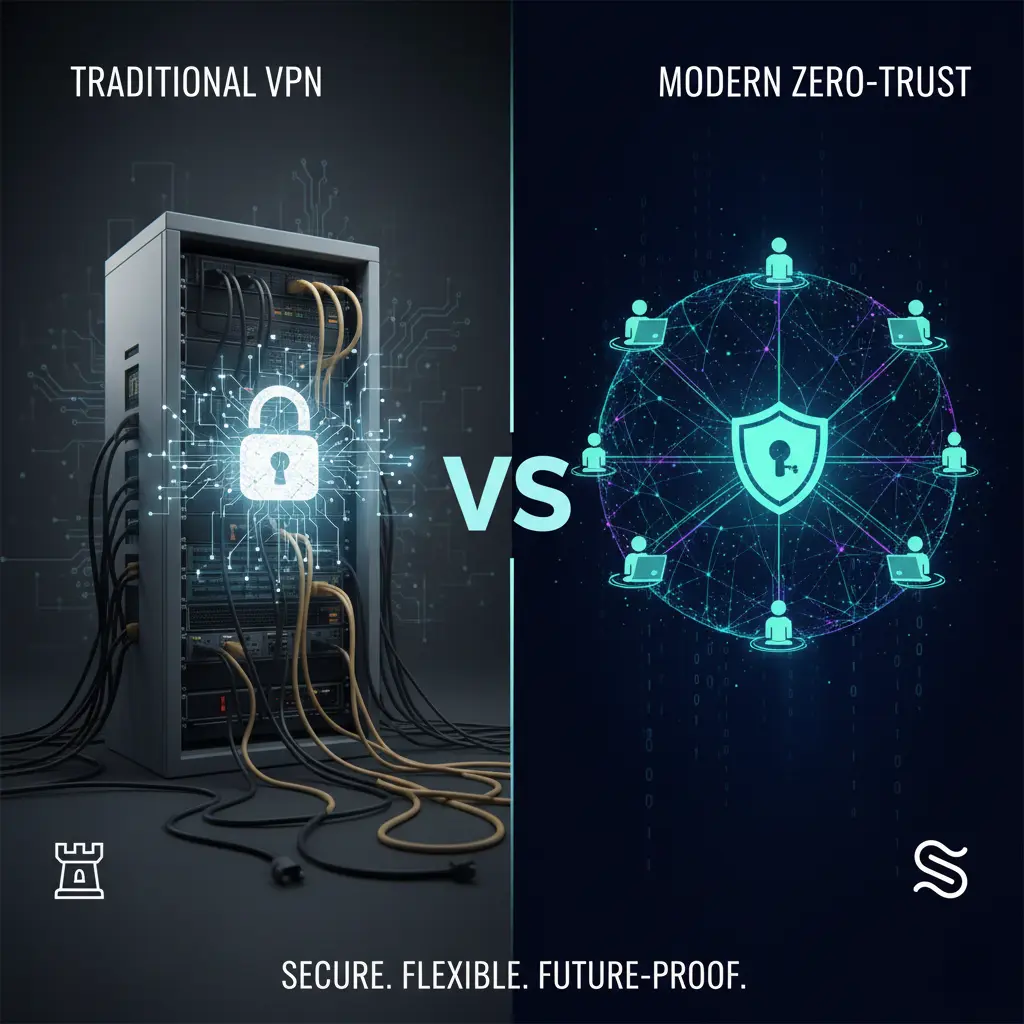
- Consider whether zero trust architecture makes more sense than trying to secure every endpoint
Bespoke Tools With No Security Process
The scenario: You built an internal dashboard five years ago. Or you use Airtable extensively as a custom CRM. Or you have a bespoke project management tool. None of these have documented secure development processes, change control, or vulnerability management.
Why this fails now: v3.3 requires documented SDLC controls for bespoke and heavily customised applications. If you can't show secure development practices, change control, and vulnerability patching processes, you'll be flagged.
The fix:
- Identify all bespoke and heavily customised tools
- Document the secure development process (even retrospectively)
- Implement change control procedures
- Create a vulnerability management process with 14-day patching commitments
- Consider whether you need to rebuild or replace tools that can't meet these standards
Shared Responsibility for Cloud Services
v3.3 makes the shared responsibility model explicit. Who implements which control depends on the type of cloud service:
Infrastructure as a Service (IaaS)
Examples: AWS EC2, Google Compute Engine, Rackspace
Your organisation is responsible for:
- Firewalls (with cloud provider)
- Secure configuration (with cloud provider)
- Security updates (with cloud provider)
- User access control
- Malware protection (with cloud provider)
Cloud provider is responsible for:
- Physical infrastructure security
- Hypervisor and virtualisation layer security
Platform as a Service (PaaS)
Examples: Azure Web Apps, AWS Lambda, Heroku
Your organisation is responsible for:
- Secure configuration (with cloud provider)
- Security updates (with cloud provider)
- User access control
Cloud provider is responsible for:
- Firewalls (sometimes with your organisation)
- Infrastructure and platform security
- Malware protection (sometimes with your organisation)
Software as a Service (SaaS)
Examples: Microsoft 365, Google Workspace, Salesforce, Xero
Your organisation is responsible for:
- Secure configuration
- User access control
Cloud provider is responsible for:
- Firewalls
- Security updates
- Malware protection
Critical requirement: You must confirm the cloud provider has committed to implementing their controls via contractual clauses or published security statements (usually in their trust centre).
BYOD and Remote Working: What's Changed
BYOD Devices in Scope
User-owned devices that access organisational data or services are in scope, with one exception:
In scope:
- Personal laptops accessing company email
- Personal tablets used for company work
- Personal phones accessing company files or systems
Out of scope:
- Devices used only for voice calls
- Devices used only for text messages
- Devices used only for MFA apps (like Microsoft Authenticator)
Remote Working Arrangements
If your organisation supplies the home router: That router is in scope and must meet firewall requirements.
If the worker uses their own ISP router: The router is out of scope, but you must apply firewall controls (software firewalls) on user devices.
If remote workers use a corporate VPN: Their internet boundary is at your company firewall or virtual/cloud firewall, simplifying device management.
What You Need to Do Before 27 April 2026
Immediate Actions (Do This Week)
1. Cloud Service Audit
- List every cloud service that stores or processes company data
- Include: email, file sharing, CRM, accounting, HR, project management, communication tools, development tools
- Don't exclude services because "we only use basic features" or "only one department uses it"
2. MFA Status Check
- For every cloud service identified, confirm whether MFA is available
- If MFA is available and not enabled, this is a fail condition - flag for immediate remediation
- Prioritise admin accounts and services handling sensitive data
3. Remote Work Inventory
- Document all remote working arrangements
- List all devices (company-owned and BYOD) accessing company systems
- Identify any informal arrangements that need to be formalised
4. Bespoke Application Review
- Identify internal tools, low-code platforms, and heavily customised applications
- Assess whether documented secure development processes exist
- Flag any applications that can't demonstrate proper change control
Next 30 Days
1. Enable MFA Everywhere
- Start with admin accounts
- Move to financial systems
- Roll out to all user accounts for cloud services
- Document any services that genuinely don't support MFA
2. Formalise Remote Work Policies
- Decide your approach: MDM, VDI, secure browser access, or hybrid
- Implement monitoring for patch compliance on remote devices
- Ensure software firewalls are enabled on all remote devices
- Test that remote workers can't bypass security controls
3. Document Bespoke Application Security
- Create retrospective documentation for secure development processes
- Implement change control procedures
- Set up vulnerability monitoring
- Commit to 14-day patching for critical issues
4. Review Scoping Decisions
- Challenge any exclusions from your current scope
- Document why any sub-sets are defined as out of scope
- Prepare to justify partial scope decisions to your assessor
Before Your Assessment
1. Test Patch Management
- Confirm all devices receive security updates within 14 days
- Document your patch management process
- Set up monitoring to flag devices falling behind
2. Review Password Policies
- Confirm minimum password lengths meet requirements (12 chars without MFA, 8 with)
- Remove password expiry policies
- Remove complexity requirements
- Implement brute-force protection
3. Document Everything
- Cloud services register with shared responsibility documented
- MFA status for all cloud services
- Remote working arrangements and security controls
- BYOD policies and enforcement
- Firewall rules with business justification
- Patch management processes
- Secure development processes for bespoke applications
4. Pre-Assessment Review
- Review all five technical controls (Firewalls, Secure Configuration, Security Update Management, User Access Control, Malware Protection)
- Identify gaps before your assessor does
- Fix automatic-fail conditions (MFA, unsupported software, missing firewalls)
One-Page Checklist: Cyber Essentials v3.3 Readiness
□ CLOUD SERVICES
  □ All cloud services identified and documented
  □ Shared responsibility understood for each service
  □ MFA enabled on all cloud services where available
  □ Admin accounts have MFA enabled
  □ Finance system accounts have MFA enabled

□ REMOTE WORKING
  □ All remote workers documented
  □ BYOD policy defined and enforced
  □ Software firewalls enabled on all remote devices
  □ Patch management covers remote devices
  □ 14-day patching monitored and enforced

□ PASSWORDS & AUTHENTICATION
  □ Minimum password length: 12 chars (no MFA) or 8 chars (with MFA)
  □ Password expiry removed
  □ Complexity requirements removed
  □ Brute-force protection enabled
  □ Password managers provided to users

□ BESPOKE APPLICATIONS
  □ All internal tools and customised apps identified
  □ Secure development process documented
  □ Change control procedures in place
  □ Vulnerability management process defined
  □ 14-day critical patch commitment documented

□ SCOPING
  □ Scope boundary clearly defined
  □ Any exclusions justified and documented
  □ All internet-connected devices included
  □ All devices accessing organisational data included

□ PATCH MANAGEMENT
  □ All software licensed and supported
  □ Unsupported software removed or isolated
  □ Automatic updates enabled where possible
  □ Critical/high patches applied within 14 days
  □ Monitoring in place to track compliance

□ FIREWALLS
  □ All devices protected by firewall
  □ Default passwords changed
  □ Admin interfaces protected (MFA or IP allowlist)
  □ Unnecessary firewall rules removed
  □ Firewall rules documented with business justification

□ USER ACCOUNTS
  □ Process to create and approve accounts
  □ Unused accounts removed
  □ Administrative accounts used only for admin tasks
  □ Special privileges removed when no longer needed
  □ Third-party accounts included in scope
Why This Matters for Your Business
Contract Requirements
Many government contracts and private sector procurement processes require Cyber Essentials certification. If your certification expires after April 2026, you'll need to pass under v3.3 rules to maintain your certification and continue bidding.
Competitive Advantage
Businesses that adapt early have a competitive edge. While your competitors scramble to meet new requirements in March 2026, you'll already be compliant and able to demonstrate mature security practices to clients.
Reduced Risk Exposure
v3.3 closes real security gaps. The tighter scoping, mandatory MFA, and stricter patch management directly reduce your risk of successful cyber attacks. This isn't just box-ticking - these controls prevent breaches.
Insurance and Liability
Cyber insurance providers increasingly require Cyber Essentials certification. Some policies explicitly require MFA and may void coverage if you're breached through a password-only account. v3.3 alignment makes insurance discussions simpler.
Common Questions About v3.3
When does v3.3 come into force?
27 April 2026. All assessments from this date will use v3.3 requirements.
Is there a grace period?
No. If your certification expires after 27 April 2026, your renewal assessment will be against v3.3.
Can we delay our assessment to stay on the old version?
You can delay your assessment, but this leaves you without valid certification. If you need Cyber Essentials for contracts, you can't afford gaps in certification.
What if our cloud service doesn't support MFA?
This is rare. Most modern cloud services offer MFA, even if it's a paid add-on. If a service genuinely doesn't support MFA, document this and be prepared to justify why you're using a service without this basic security control.
What if we can't patch within 14 days?
The 14-day requirement applies to critical and high-risk vulnerabilities. You need processes that allow testing and deployment within this window. If your current change management can't meet this, you'll need to streamline it.
Do we need to bring all BYOD devices under MDM?
Not necessarily. You can use MDM, but alternatives include:
- Virtual desktop infrastructure (VDI)
- Browser-based access only
- Containerised applications
- Zero trust architecture with conditional access
Choose the approach that fits your organisation and meets the security requirements.
What if we use lots of bespoke applications?
You'll need to document secure development practices for each one. For older applications built before these requirements existed, create retrospective documentation. If applications can't meet security standards, consider whether they should be rebuilt or replaced.
Can we exclude our website from scope?
Publicly available commercial web applications are in scope by default. However, bespoke and custom components can be excluded if you can demonstrate robust development and testing processes.
What Stabilise Does to Help
We work with London businesses to achieve Cyber Essentials certification without the stress, guesswork, or nasty surprises at audit time.
Our approach:
- Pre-assessment audit - We identify gaps before your assessor does
- Gap remediation - We fix automatic-fail conditions and implement missing controls
- Documentation - We create the evidence your assessor needs
- Ongoing compliance - We maintain controls so you're always assessment-ready
We've already taken businesses through early v3.3 assessments under the Danzell question set. We know exactly where the new failure points are, which scoping questions catch people out, and how to fix gaps before they become problems.
If your renewal date is close to April and you're unsure whether you'll pass under v3.3, let's talk now - not after an avoidable failure that costs you time, money, and contract opportunities.
Get in touch: hello@stabilise.io - +44 203 355 7522
Cyber Essentials v3.3 comes into force on 27 April 2026. The question isn't whether you'll need to comply. It's whether you'll be ready when the deadline hits.